Recently Released
Side Navigation
We’ve made further tweaks to the side navigation, improved spacing and consistency and also improved visual consistency with all of the expand panels. You can now also see the team team colouring at a glance in both the compact and expanded versions of the side navigation and if you require more detail e.g. the team type name, then you can quickly get additional information by hovering over the menu item saving you time and clicks.
Org Charts
Org charts now show a person or a team highlighted when they are the active team in the details panel. Any person who is also a manager will also show the count of direct reports of that person so that you can see this information at a glance. We’ve made the details panel for people information consistent with the people details page. You can now add placeholder roles to teams from Org Charts like you can from Team Details. Directory users can now finally access Charts.
Explore Structures
Explore teams is our new way to navigate teams in a more structured hierarchy, we are continuing to evolve these views and will make them more prevalent in TeamForm in the future. This view allows you to see more than the typically 2 layers of teams in a single view which if often needed in larger organisations to navigate and understand context. It is also possible to toggle the view from the team details page and back using the icon highlighted in red and then oce you are on the explore page view you can further use the group by button to group the child teams based on the type of team / group you are seeing which is helpful when you have many team types in one particular parent team structure.
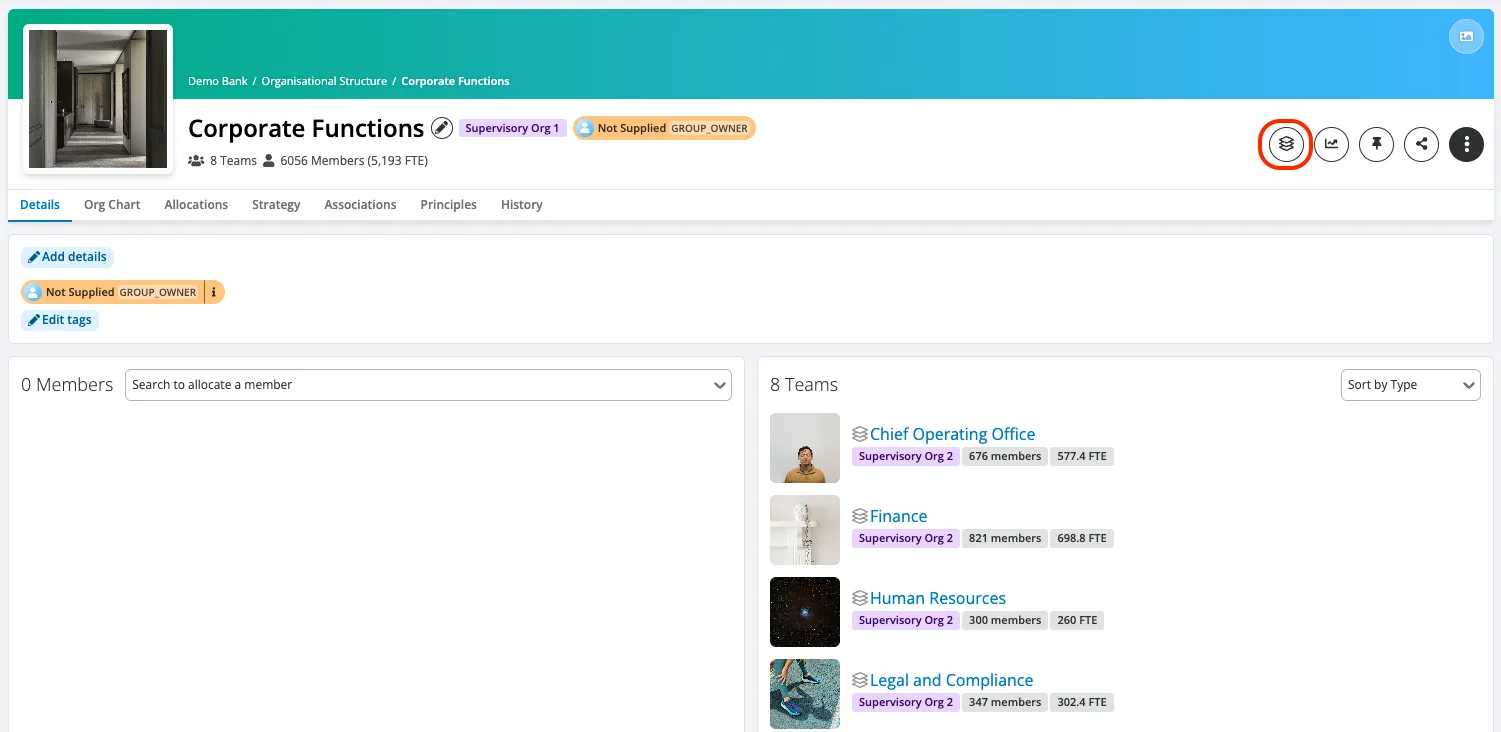
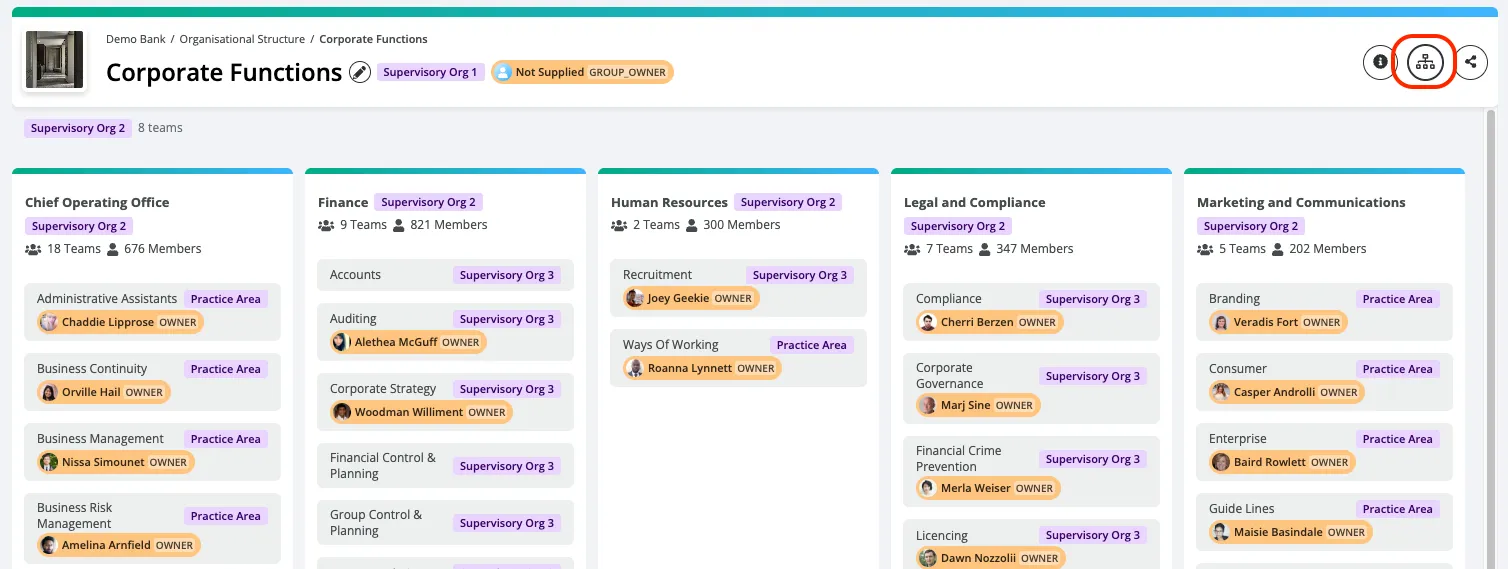
Sample Images of Explore Structures
Featured Tags
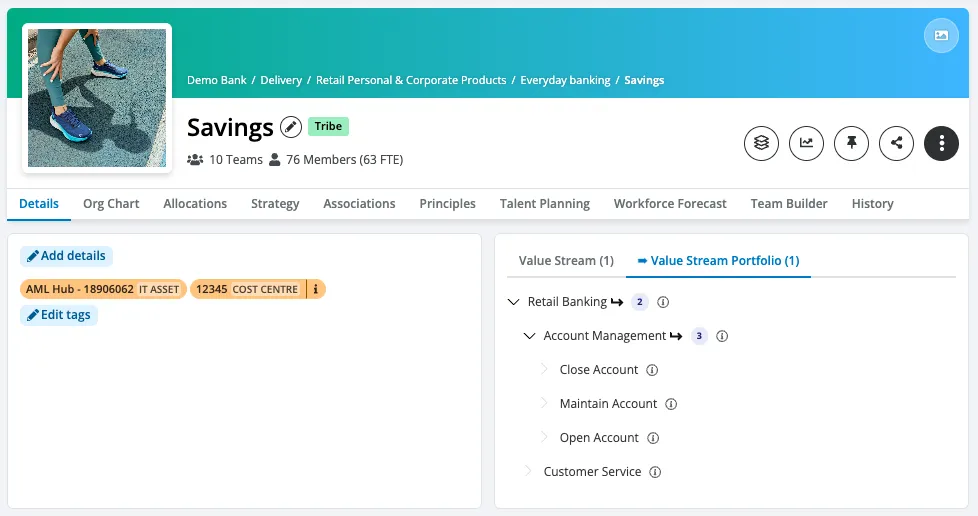
Featured tags are tags which feature prominently on a team’s detail page (when you are using a hierarchy of tags). We’re making it clearer when a tag is directly linked to the team you’re viewing or associated with a child tag. This small change helps clarify relationships between teams and tags. You can now edit and delete individual tags from the featured tags widget.
User Session History
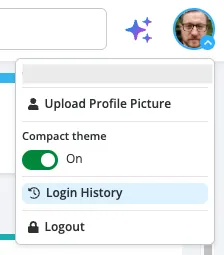
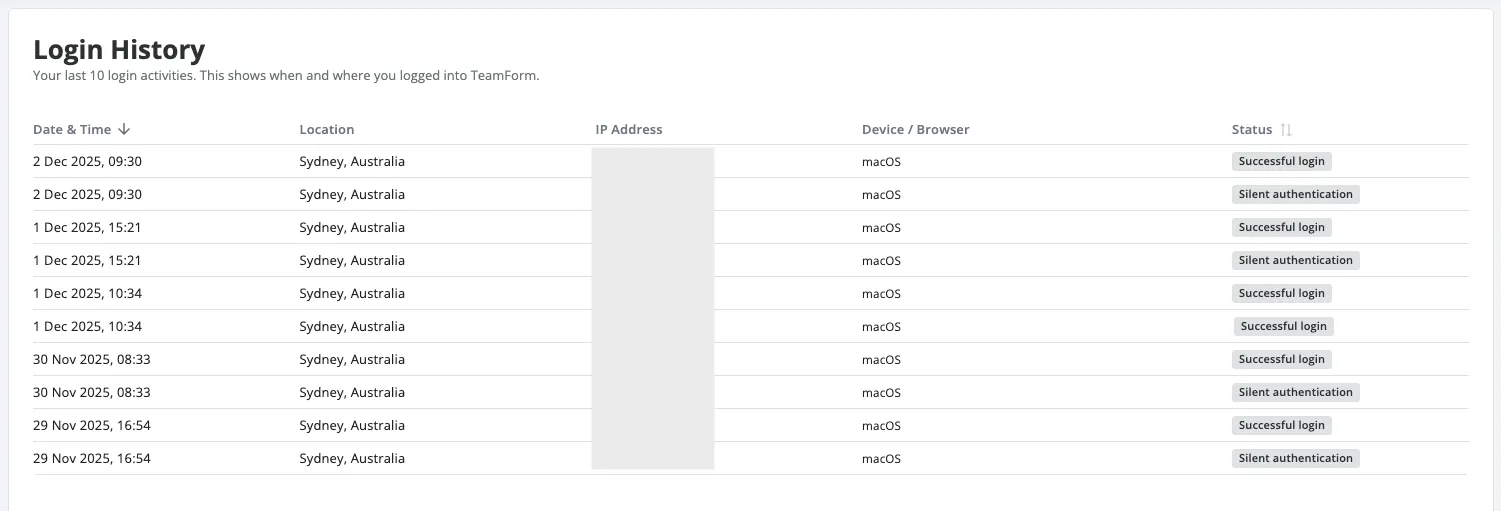
Individual users can review their recent login history for added confidence their account is secure. Access this via the personal menu (top right).
Customer Branding
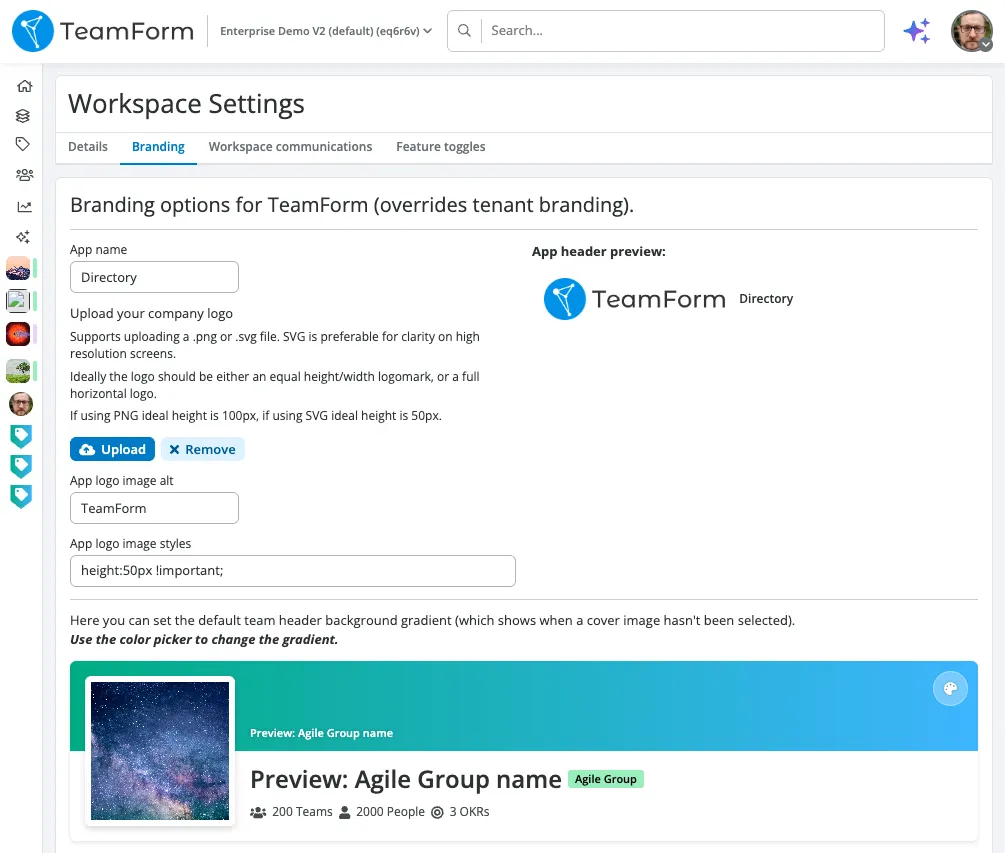
Brand your workspace and your tenant—your way. We’ve simplified how branding works so you can tailor the look and feel where it matters most. Update the app header and see changes without a page refresh. The preview now accurately reflects what your users will see when you save. When a workspace has no value set, it will still inherit the tenant default in the preview and app header, keeping things consistent. If there’s no workspace logo, image fields default to tenant branding (and are greyed out).
These improvements unlock practical use cases: keep a cohesive company brand at the tenant level while empowering individual workspaces to reflect their primary use case e.g. team directory, production vs test, confidential org design, strategic workforce planning etc.
Ask TeamForm
Our AI assistant, Ask TeamForm, continues to evolve to help you get answers about people, teams, tags, goals, and work—instantly and directly from your data using the chat interface.
Recent improvements include:
- Enhanced in-chat graph presentations for clearer insights.
- History mode to see previous and start new chats.
- A new full-screen mode for a better chat experience.
- Faster response times.
We welcome your feedback on what questions you’d like Ask TeamForm to answer next!
Public API
We’ve introduced a new endpoint: getTeamsAssociations - this allows clients to retrieve associations for many teams in 1 request.
We now return externalIds on the person type.
Allocations Timeline
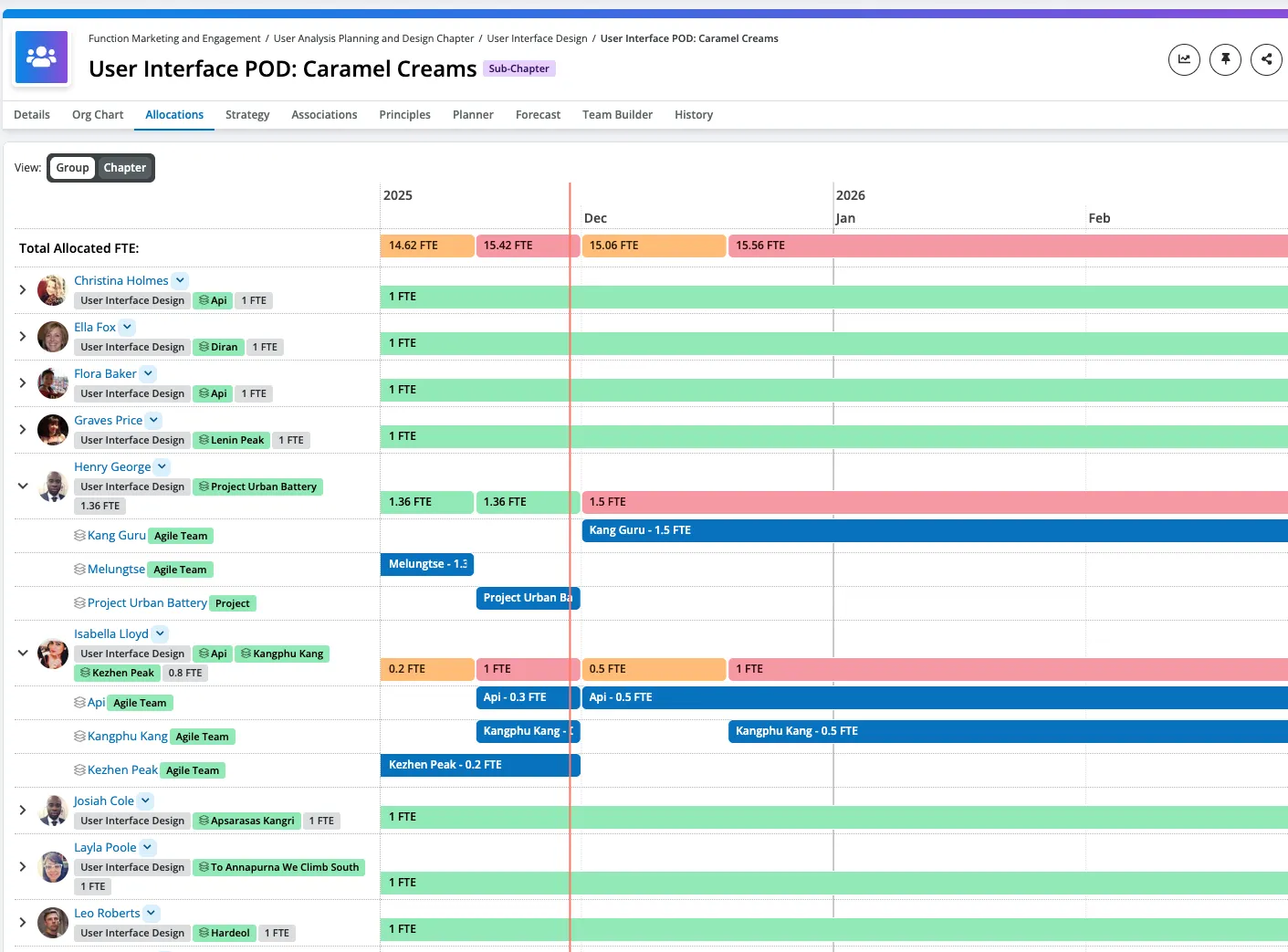
When viewing a supply team, you can now see a view of all of the demand allocations for the people in that supply team via the allocations tab. As a supply team lead this will make it much easier to discover where your people are working, and when they are over or under allocated over time.
Coming Soon
Explore Goals
Continuing on from the learnings in Explore Teams views, we are taking the learnings and layout and adapting this to how users can navigate goals (from highest level for an organisation all the way down to work e.g. epics etc) this will provide a way to explore how strategy connects to goals / objectives (using your own organization’s taxonomy) all the way down to work. This will help enable anyone to understand how strategy connects to goals and work and then which teams are working on each item.
Custom Links
If you are a the TeamForm admin at your organization, we are making it easier for you to self manage custom links both hep / support use cases as well as for the announcement section so that you can more easily customise what messages go to which roles.
AI Agents in TeamForm
We are adding the ability to integrate AI agent registries into TeamForm especially if your organization has many such tools and doesn’t have a single place to browse them all. We are growing this capability and would love your input on this as we evolve it. Right now agents can be members of teams, they can show up in search results and have their own agent list and agent details page. Tags can be configured to apply to agents. We’re planning on supporting agent import from a number of AI agent providers, such as Cursor, AWS AgentCore and Agno.
Reporting Performance
We’ve been working on improving the performance and reliability of our reporting extract job. This will mean that changes made in TeamForm will show up much faster in TeamForm Reporting. We’ll be rolling out this change progressively over the next weeks, we’ll communicate when this will occur for your specific TeamForm instance.
Team Builder
We have added the new reference date selector found on planner into the team builder table so that you can view team build based on the same options as you can in planner. This works for supply and demand team types and it enables you to incorporate the required time dimension to the data that you are looking at, so as you complete your allocations after an approved plan you can see the change in delta to the actual and approved for the diven planning period.
Allocations
Reality is often messier than we would like, so we are exploring enhancing the allocations page with additional information so that you can see people and their allocations broken down by the individual team(s) they are assigned to. This way if you have someone working across many teams with overlapping or overbooked allocations this can quickly become visible and resolved.
Reporting and Apps
Further to the custom links work, we are removing the app menu which has largely only contained a single link to reporting. We will make the reporting button a first class side navigation button for those with access and enable the management of custom links to show up get help and announcements including the ability to configure which TeamForm role can see a given announcement e.g. directory user only, power and admin etc.
TeamForm has traditionally shown a person’s employee id in reporting, and this can differ to what a user sees as the person id via URL in the UI. We are now sharing the id a user sees in the front end to reports, as an attribute stored in people_attributes with type teamform_id.