Recently Released
Jira Integration
In addition to including parent / ancestor work items / issue types, we are enabling people to pull in issue types based on configured Jira Boards so that if many teams are using a single project they can more easily manage and visualise the Jira Issues based on the Jira Board rather than the full project. This will also allow Teams to feature all linked Jira Projects and Jira Boards automatically in TeamForm on the team details page. This way you can see the reality of how things are in Jira and allow teams to include all relevant content and clean up their Jira setup / configuration over time.
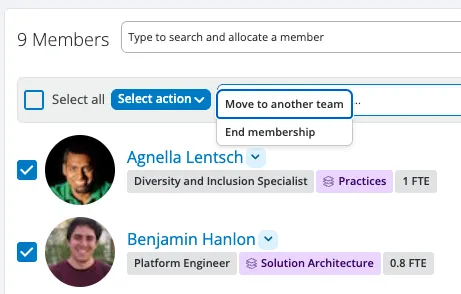
Team Management - Remove Members
We have long supported a bulk move option via team details page, however it hasn’t been possible to bulk remove members from the team. This is now possible and works the same way as bulk move, using the edit pencil icon and then select End membership.
Team Management – Advanced Moves
The full history of advanced (persistent) moves can now be viewed in a team’s history tab.
Org Design in Org Charts
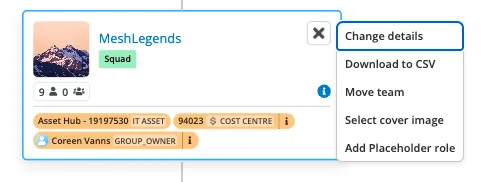
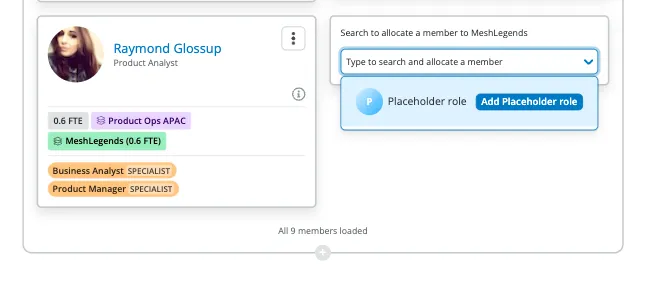
We have extended support for adding a vacant role to both the team details memberlist and org chart pages for customers who wish to do smaller scale org design within those pages rather than in planner. This is configured to use the labels you prefer for your use organisations shared language.
Org Chart – Principles
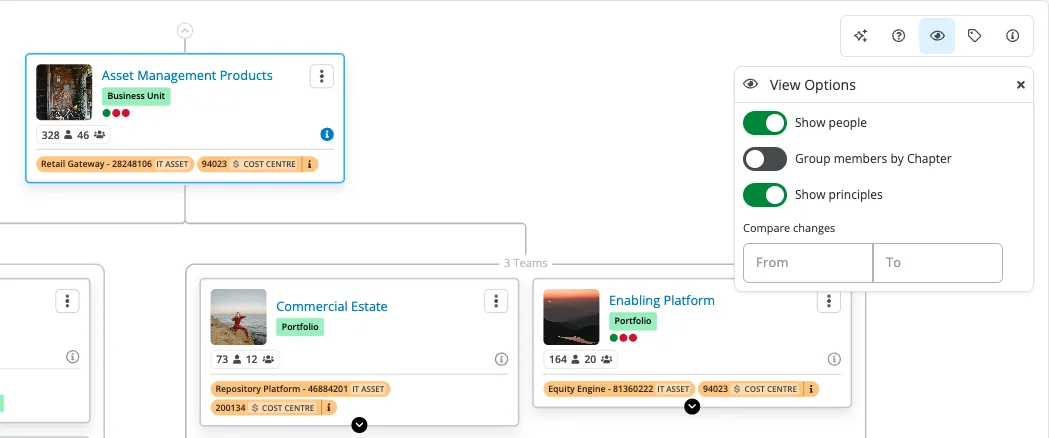
We are continuing to match parity between views (Team details and Org Chart) we can now also show principles aligned to the individual team on the org chart page along with a toggle under view settings to turn it off.
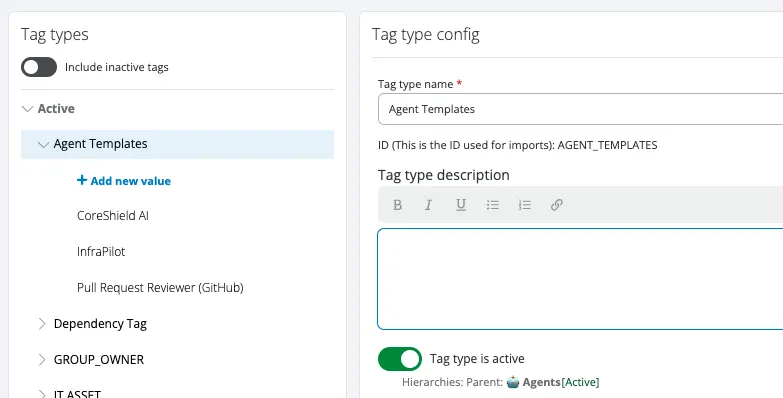
Tag Types – Visibility
We know how much you all love using tags and tag types in your workspaces and historically it has only been possible to disable a tag but never a tag type. This is now possible and allows you to disable a tagtype that also hides the child tags throughout TeamForm. It is non-destructive so if you want to re-enable you can. It is finally possible to organise your tagTypes and clear the clutter.
Imports - Forecast
Forecast data can now be uploaded via an import file, for customers who manage part of the forecast process in spreadsheets. See the new Forecast CSV upload integration type for more information.
Ask TeamForm AI
Our AI assistant, Ask TeamForm, continues to evolve to help you get answers about people, teams, tags, goals, and work—instantly and directly from your data using the chat interface.
Early Preview AI Dashboarding capability, store and refer to your dashboards over time (we are looking to expand this area so stay tuned).
We welcome your feedback on what questions you’d like Ask TeamForm to answer next!
Coming Soon
Explore Goals
Continuing on from the learnings in Explore Teams views, we are taking the learnings and layout and adapting this to how users can navigate goals (from highest level for an organisation all the way down to work e.g. epics etc) this will provide a way to explore how strategy connects to goals / objectives (using your own organization’s taxonomy) all the way down to work. This will help enable anyone to understand how strategy connects to goals and work and then which teams are working on each item.
Reporting Performance
We’ve been working on improving the performance and reliability of our reporting extract job. This will mean that changes made in TeamForm will show up much faster in TeamForm Reporting. We’ll be rolling out this change progressively over the next weeks, we’ll communicate when this will occur for your specific TeamForm instance.
Search Performance
Similar to reporting, we have been hard at work fine tuning search result and behaviour improvements so that you can find what you are looking for more easily and more quickly.