Product Releases
Data Source Indicators & Guidance
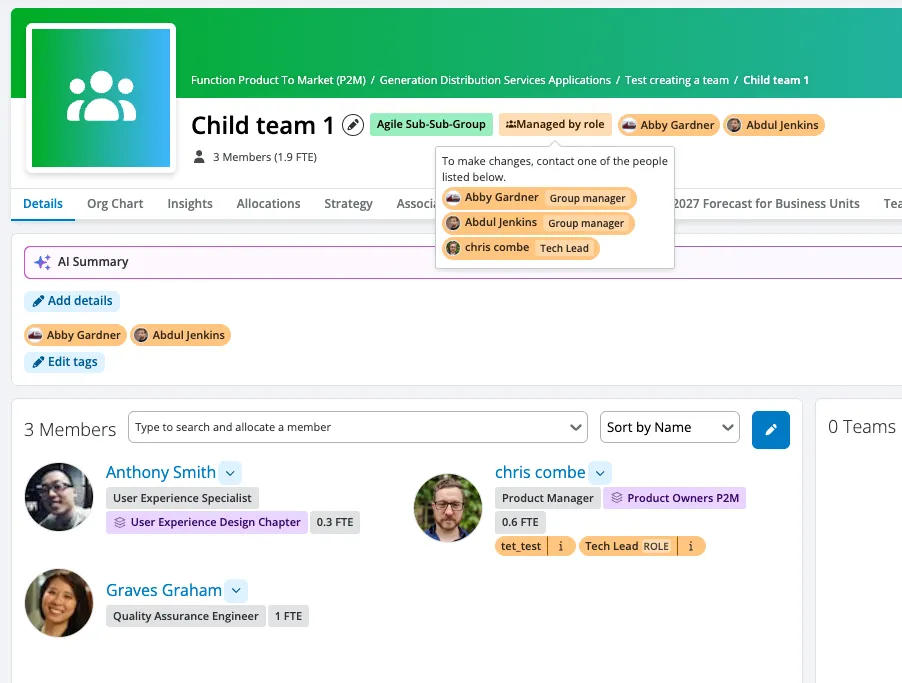
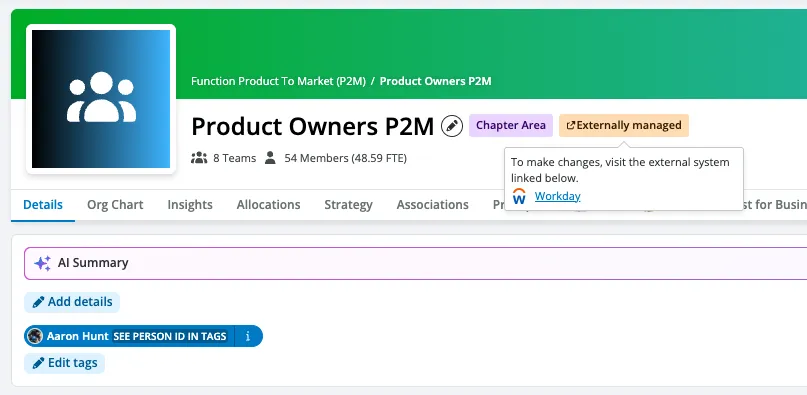
We’ve made it much easier to know exactly where your data is coming from and who manages it. TeamForm admins can now add clear, custom guidance directly within the platform to show the "source of truth" for your data.
For example, you can now let users know that traditional reporting lines (Supply Teams) are automatically synced from your HR system, like Workday or SuccessFactors.
How it works:
- Custom Integration Notes: Mark sections (People, Demand Teams, or Supply Teams) as managed by an external system, an admin, or a specific role.
- Helpful Links & Context: Add custom help text and direct links to your internal policy pages, HR systems, or support contacts.
- Role-Based Ownership: If a section is "role-managed," TeamForm will automatically display the names and avatars of the people in that role so users know exactly who to contact.
- Global Control: Easily turn these indicators on or off workspace-wide with a single global toggle.
Where to find it: Head to Settings → Workspace → Help & Links to set it up.
Tag Type Pages from Navigation
We’ve upgraded the Tags sidebar to make exploring your tags much more intuitive. Clicking a tag type header now takes you directly to that tag type’s Explore page.
- Full Overview: Instantly see all tags of that specific type, complete with their descriptions and usage counts.
- Header Descriptions: The tag type’s description is now prominently displayed in the explore header for quick context.
- Familiar Navigation: Clicking the small arrow (chevron) next to the header will still expand or collapse the sidebar tree just like before.
Product Improvements
Tags Explore & Detail Pages
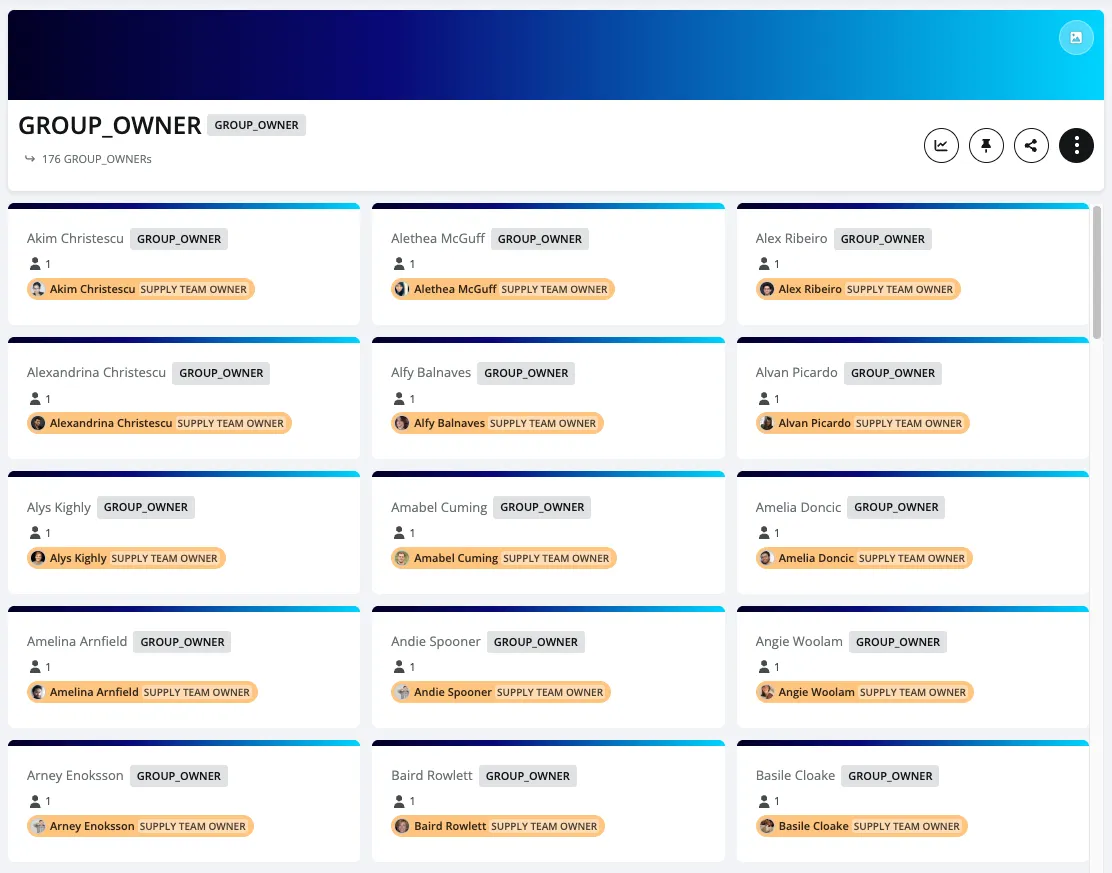
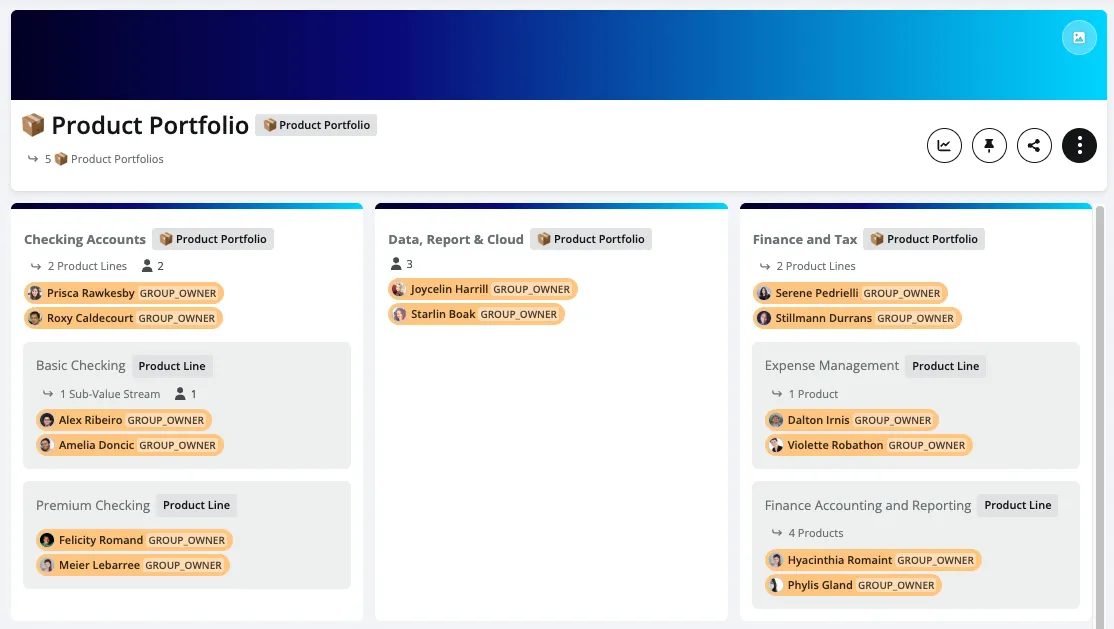
We’ve redesigned our tag pages to be cleaner, more responsive, and significantly faster.
- Responsive Card Grid: The Tags Explore page now features a grid layout that automatically adapts to your screen size, using a consistent title and badge design.
- Snappier Load Times: People and team counts now load quietly in the background. This means pages open instantly, and zero counts are automatically hidden to keep your view clutter-free.
- Smooth Scrolling: Tag detail pages with a large number of associated people or teams now load much faster using a modern scroll-to-load-more pattern.
One-Click Insights from Tag Pages
Analysing your data just got easier. You can now launch Insights directly from any tag type or individual tag page, and TeamForm will automatically apply the relevant tag filter for you.

Faster Team Member Lists
No more waiting on loading screens. When you revisit a team, the member list remains completely visible while fresh data loads quietly in the background, keeping your workflow uninterrupted.
Improved App Performance
We’ve optimised how TeamForm calculates key numbers such as member and FTE counts across the Planner, Forecast, and Team views. This behind-the-scenes upgrade drastically reduces wait times and makes navigating the app feel incredibly snappy.
Advanced Move: Type Change Indicator
For workspaces utilising our Advanced Move feature, we’ve added more visibility into team structures during a move.
- Clear Overrides: When a team’s type is overridden as part of a persistent move, a new indicator appears in the team header to show it differs from the source hierarchy.
- Child Team Visibility: Any sub-teams (child teams) affected by a parent team's move will now surface this same helpful information.
AI Upgrade: More Accurate Answers
We’ve leveled up Ask TeamForm to provide more reliable answers and deeper analysis.
- Better Team Nuance: The AI now better understands the difference between a "direct team" and a "child team," giving you more accurate counts for total members vs. direct members.
- Expanded Knowledge: The AI agent now has access to location, address, and timezone data, allowing for much more nuanced insights about your global workforce.
Coming Soon
Org Design Enhancements
- Drag-and-Drop Org Design: Easily move people and teams directly on the org chart in edit mode, featuring multi-select capabilities and automatic hierarchy validation.
- Improved Design Changelog: View and export summaries of people and team changes over time to make transitioning your new design into your HR systems seamless.
- Effortless Access Controls: Clearer rules and easier management over who can view or modify your active org designs.
- Structured Workflows: A dedicated experience tailored for teams running repeatable, structured org design projects.
Planner FTE Specification
Richer FTE Planning: Introducing deeper ways to define what your planned FTE should look like using tags, specific person fields, and detailed breakdowns.